The Playbook: A Portfolio You Turn, Not Scroll
Why my portfolio is a playbook you open from a link, and the physics, pauses and small decisions that make it feel like a real book on any screen.
I made my portfolio to be shared, not to be held. It lives as a link: sent in a chat, dropped into an application, opened by someone who has a few minutes between two other things. That is the reason it is a book. A book is the one format everybody already knows how to read in order, one spread at a time, without being told.
The usual way a portfolio travels is a PDF. It survives the trip, but the reading doesn't: a strip of pages in a viewer built for invoices, tiny type on a phone, and a scroll bar that says "this will take a while". So the web version has one idea behind it: don't rebuild the portfolio as a website, give the document the book it was designed to be, and make that book the thing I send.
Why a playbook
In basketball, the playbook is the team's book of plays. Each play is drawn up by the coach: where everyone stands, who moves first, what the ball does, and what to read in the defense before it happens. Players study it until it is second nature, because on the court there is no time to open a book.
That is how I think about my work. Every project starts with a why, and a play is just a why that has been drawn up so a team can run it. So the portfolio is organised like one. The index of projects is The Plays, each project carries a number like a play called from the sideline, and the About page describes me the way a bench would: a player-coach, setting the direction and keeping a hand on the work. I also play basketball as a small forward, so the metaphor was never borrowed. It was already on the court.
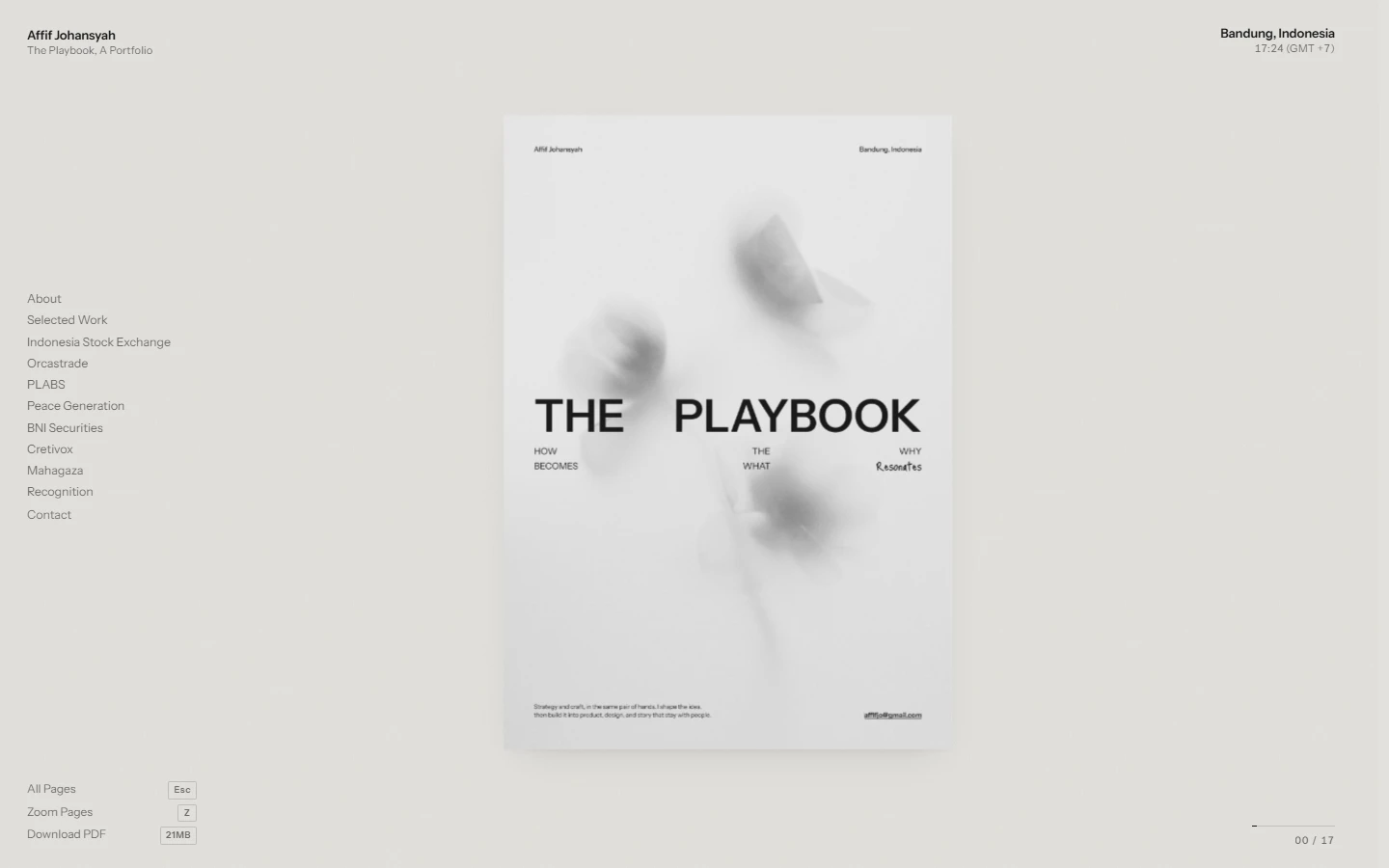
The cover line says it in one sentence: how the why becomes what resonates. A playbook is exactly that, the why turned into something a team can actually run.
The pages stay exactly as designed
The easy route would have been to turn every page into a web layout: headings, paragraphs, a grid of project cards. I decided against it. The pages are already the design. Rebuilding them would mean two versions of the same portfolio slowly drifting apart, with the web version as the understudy who never quite learned the lines.
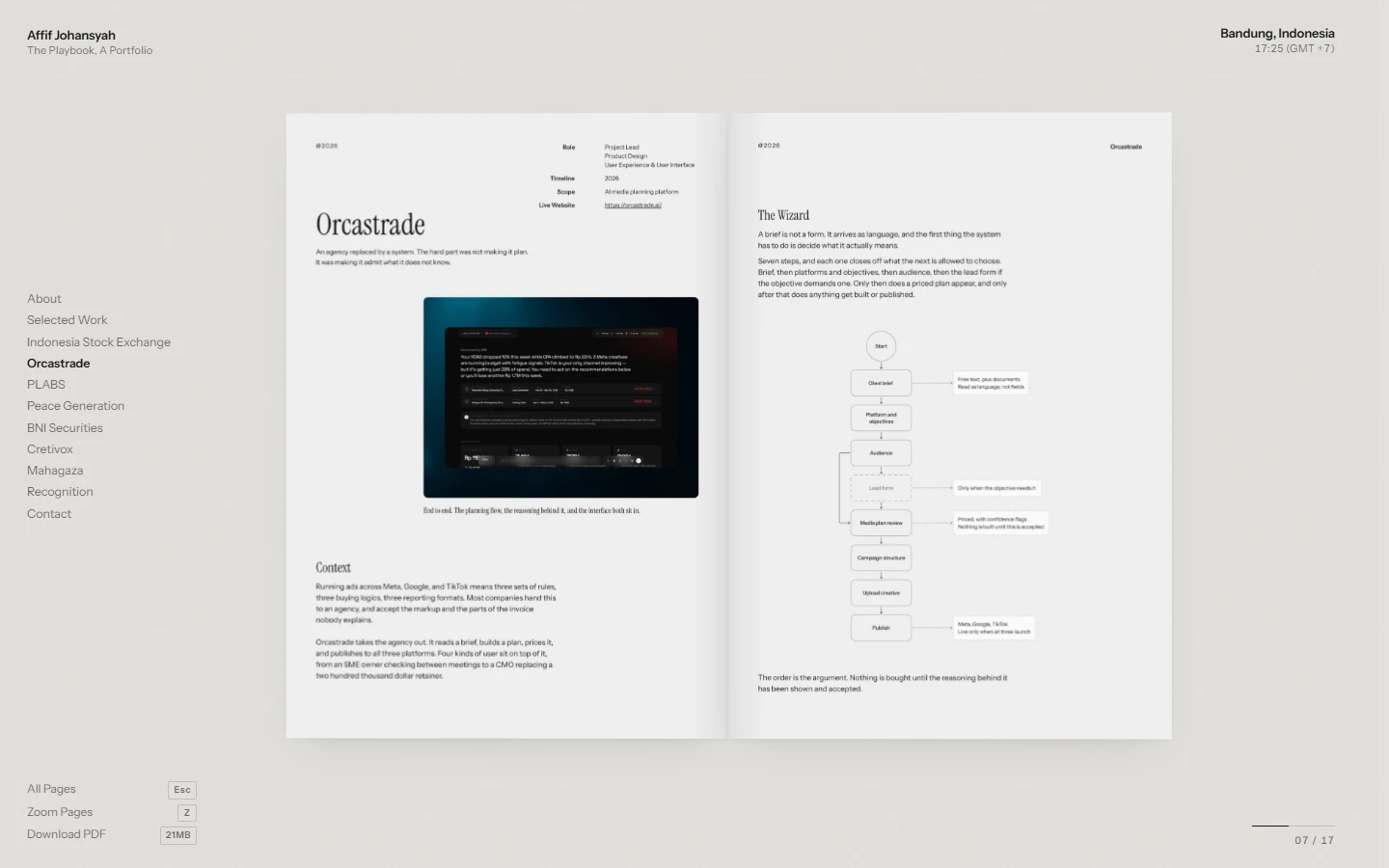
So the pages are shown as they are, the real type and the real artwork, and the website only adds what a reader needs around them: my name and the local time in Bandung at the top, the index on the left, and three actions at the bottom (All Pages, Zoom Pages, Download PDF). Nothing competes with the page.
The pages can't be selected like text either. They are artwork, not a document to copy from, and a stray drag should not paint a blue highlight across a layout. The links printed on them, like a live project site or a contact address, still work.
Ma: the space between
Japanese has a word for the interval between things: Ma (間). It is the pause in a conversation, the empty space in a room, the silence between two notes. It is not nothing. It is the part that gives everything around it its shape.
A book has Ma built in, and the web usually removes it. An endless scroll has no in-between; everything is already arriving. A book has the turn: a short moment where one spread has gone and the next hasn't landed, and your eye gets to reset. Basketball has it too. The best plays have a beat in them, the half second where a player reads the defense before the ball moves.
So I kept the gaps on purpose:
One spread at a time. You can't skim three projects at once. Each gets the room it was designed with.
The arrival holds. When the site loads, the book rises from below, pauses with part of it still under the edge of the screen, and only then settles and opens. That pause is the page clearing its throat.
The interface stays quiet. Small labels in the corners, no banners, no autoplay. The margins around the book are left empty so the book is the only loud thing on screen.
Space on the page is kept. The whitespace in the layouts is part of the design, which is another reason the pages are never reflowed into a web layout that would fill it.
A book that obeys physics
If it is a book, it should move like a real one, and real objects obey physics. The motion here isn't a set of canned animations. It is a few small physical rules, and the movement falls out of them.
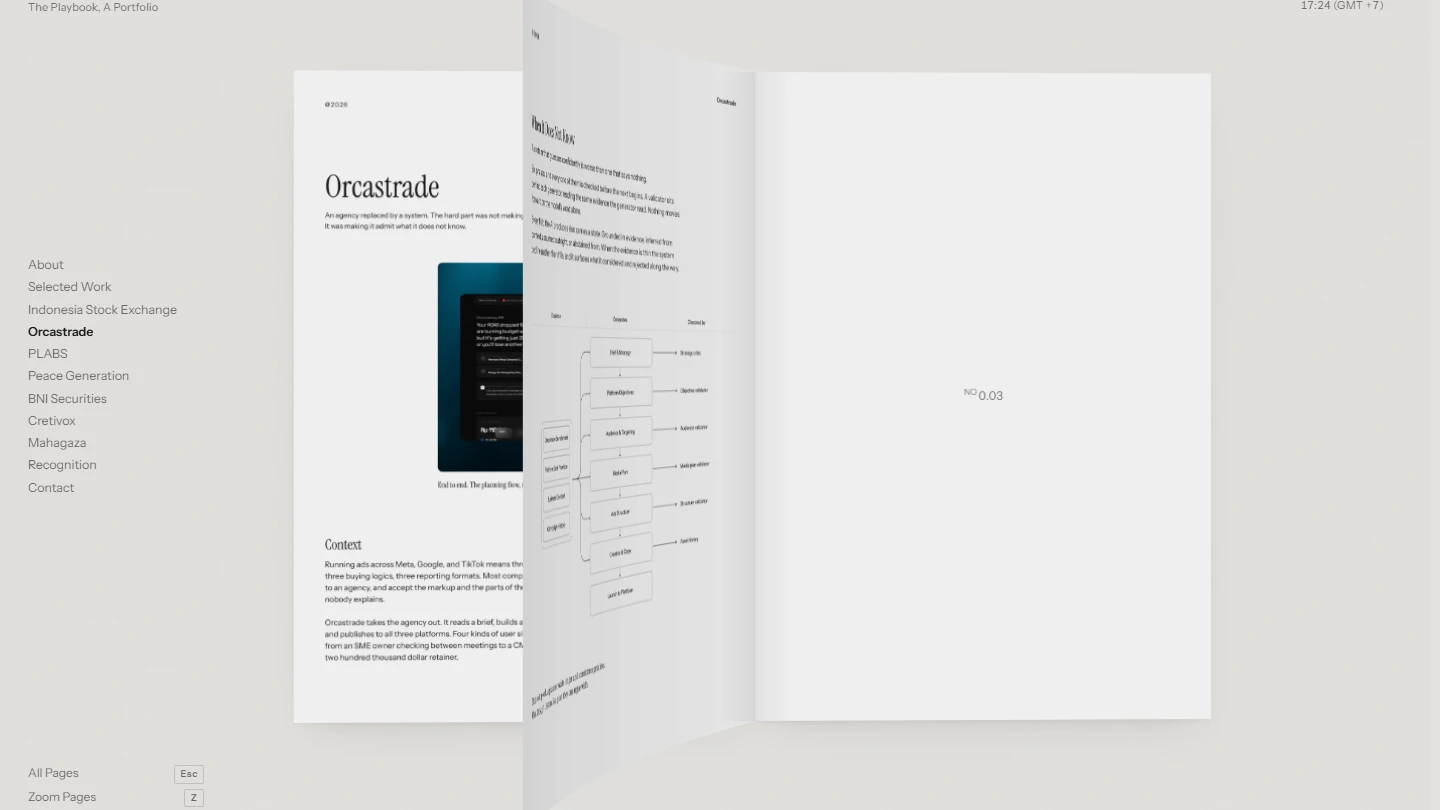
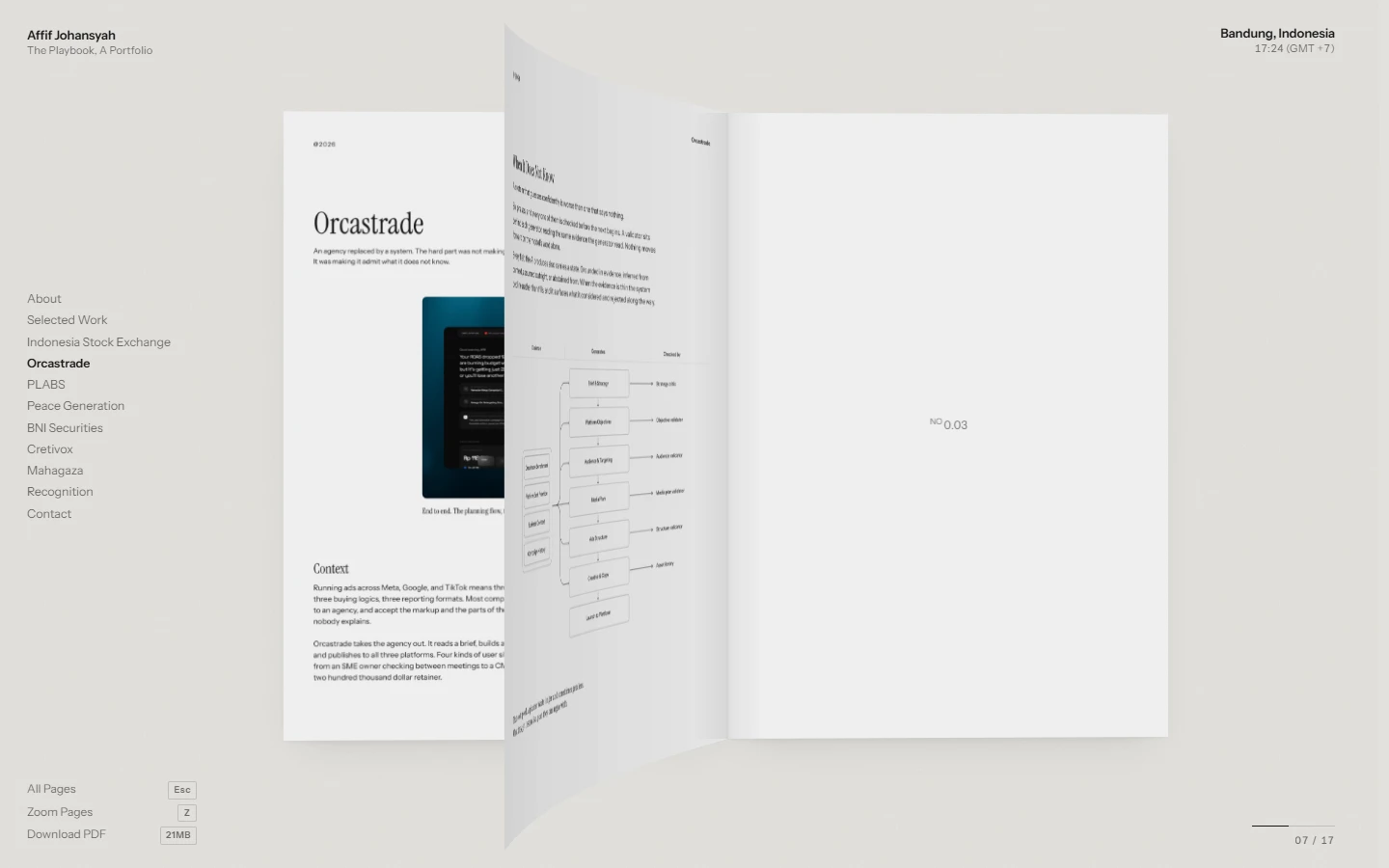
Pages bend. A leaf is not a flat board swinging on a hinge. It is drawn as a row of thin strips, and each strip rotates a little further than the one before it, so the free edge trails behind the fold. The bend is strongest mid-turn and relaxes as the page lands, the way paper does when you let go of it.
Paper throws a shadow. As a page lifts, it casts a shadow on the page underneath. The shadow is darkest while the leaf is still close and fades as it rises, so you read the height of the page without thinking about it.
The unread half has weight. Near the start of the book, more pages sit on the right, so the book tips slightly to the right. Near the end, it tips left. Read your way through and you can feel the weight move across the spine.
Every turn has momentum. Each turn gives the book a small kick, and a damped spring carries it: it rocks back less than two times a second and settles without wobbling. In other words, it has the manners of a good hardcover, not a trampoline.
A run of turns builds up. A spring alone forgets too fast to show how far you went, so a separate, slower lean accumulates across a run and then decays. Flip five pages and the book leans about two and a half times as much as for one.
The corner you reach for leads. A turn starts from the corner nearest your pointer. Tilting the page itself would have torn it away from the spine, so the camera's vanishing point leans instead. The near corner seems to come forward first, and the spine never moves a pixel.
The book notices you. It leans a few degrees toward the pointer, like an object on a desk you are looking at from slightly different angles. The pointer itself is a dot with a ring trailing behind it, and the ring is tied to the dot so it can lag but can never be outrun.
Picking a project from the index turns every page in between at a steady pace instead of cutting there, so a long jump and a single step are the same gesture. And for anyone whose system asks for reduced motion, all of this switches off and the pages simply change.
When you want to look closer, or skip ahead
A book on a screen has two weaknesses: you can't see the whole thing at once, and small type stays small. Two views answer that.
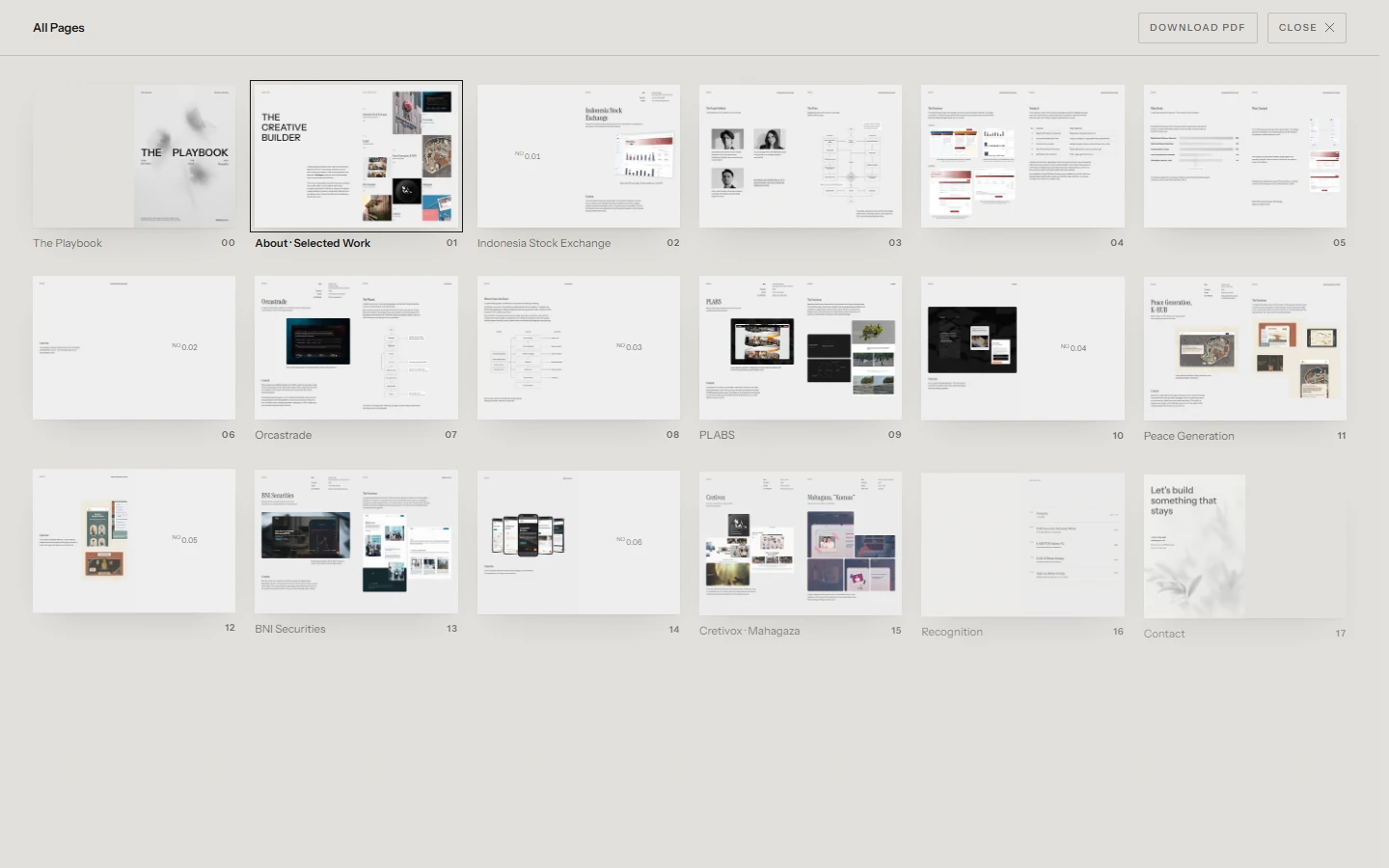
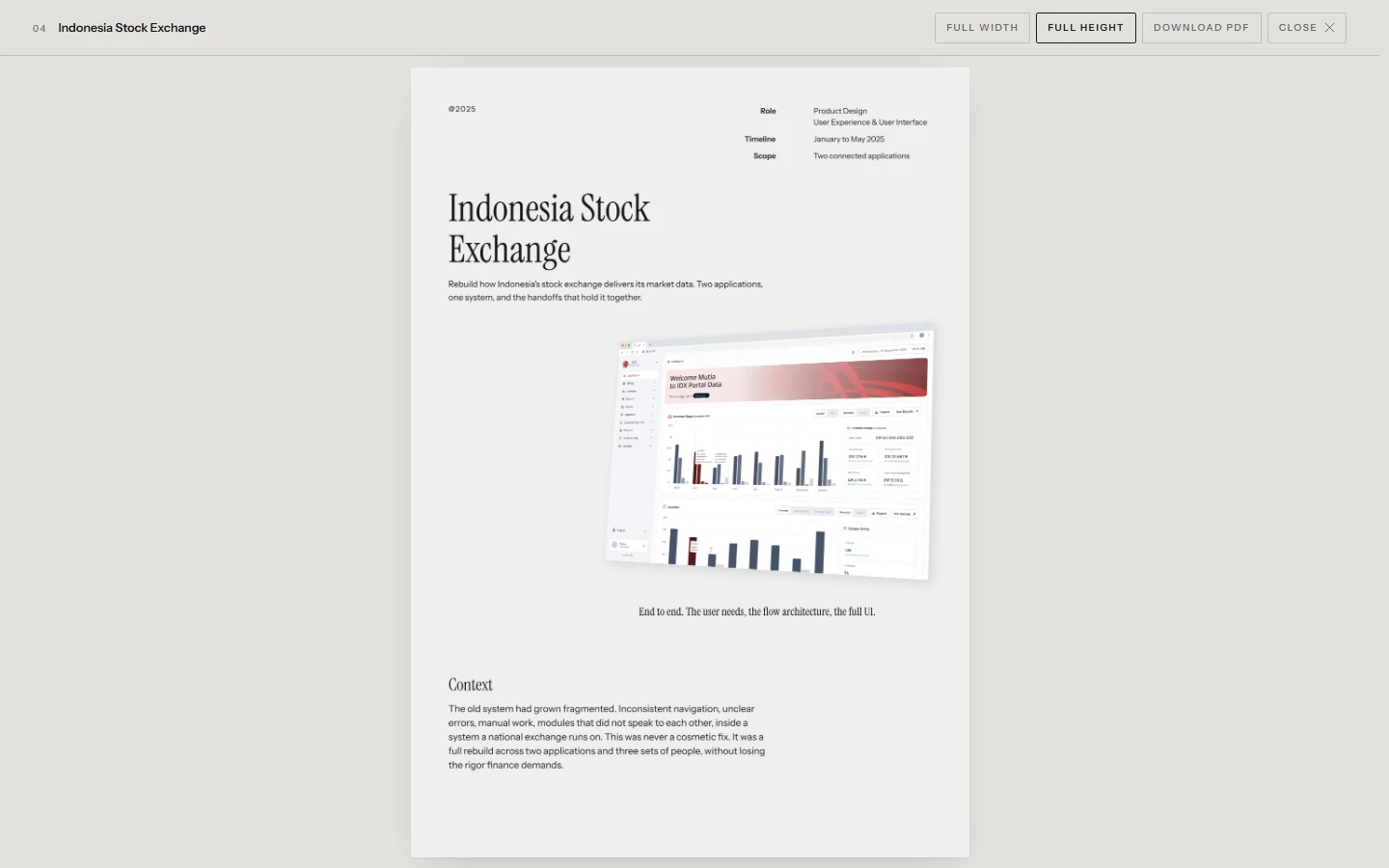
All Pages lays every spread out in a grid with its project name, so a reader can see the shape of the whole playbook and jump straight to a play. Zoom Pages opens one continuous reader, page after page in a single scroll, at full width or full height. Reaching the bottom of one page simply carries on into the next.
And for anyone who still wants the file, the original PDF is one click away, saved under my name rather than something like "final_v7_REAL.pdf".
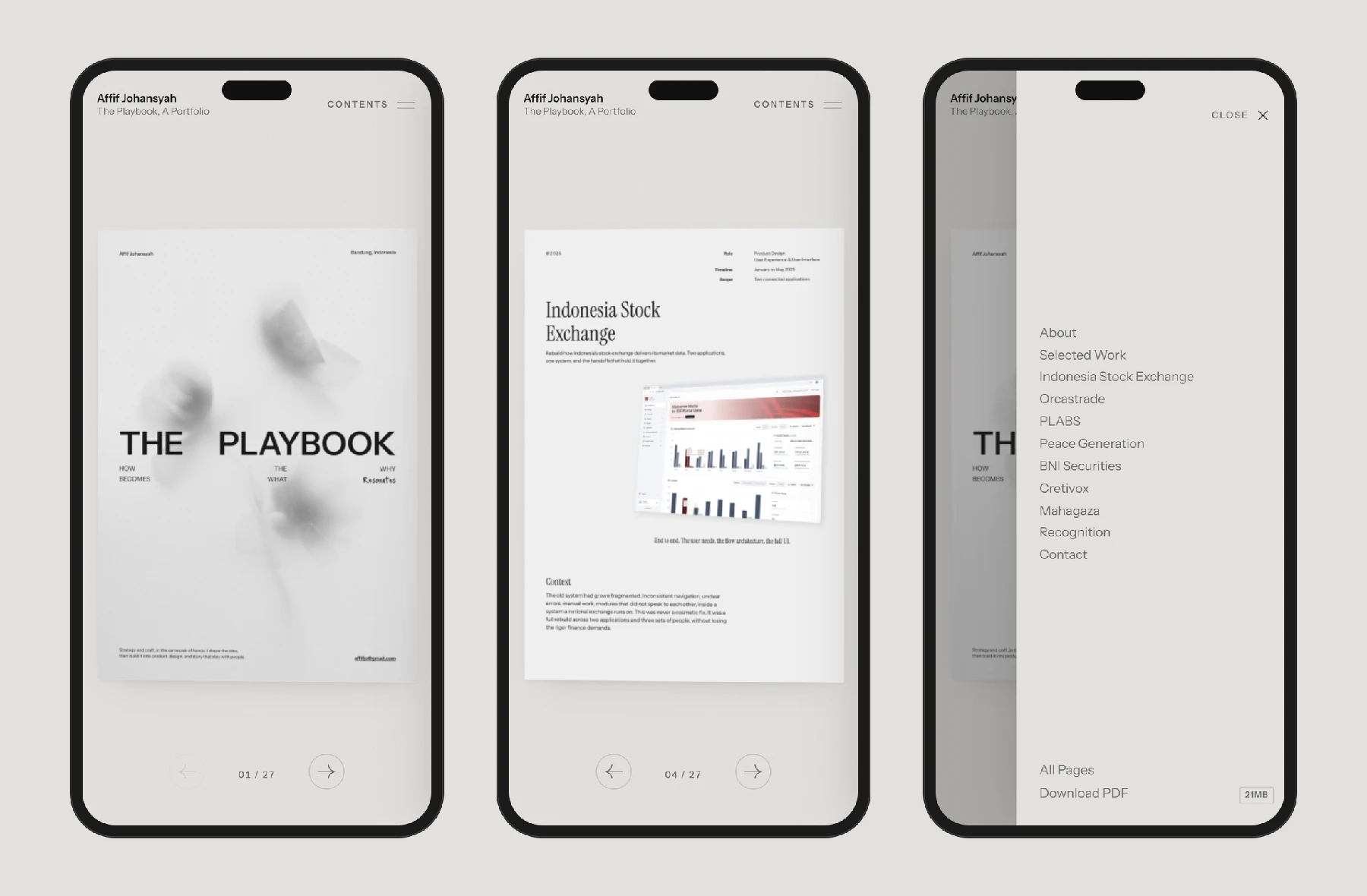
On a phone, one page at a time
A spread doesn't fit a phone. Shrinking it until it did would make every page unreadable, so the phone gets one page at a time, filling the width of the screen.
It still turns. Swiping lifts the page away, and going back brings the previous one down onto it. The arrows move to the bottom, beside the page count, where a thumb reaches them. Tapping a page opens the reader. The index becomes a Contents drawer that slides in from the right.
Since the whole point is to be shared, this is where a lot of first visits happen: someone taps a link in a chat. It had to work there as well as it does on a big screen.
Every page has its own address
A book made for sharing has to be shareable one page at a time. Each spread has its own link, named after the page on it, so I can send someone straight to one play instead of asking them to find it. Opening that link opens the book at that spread.
Sharing the main link shows a preview cropped from the real cover, so the portfolio already looks like itself in a chat before anyone taps it.
Because the pages are images, a search engine or a screen reader would find nothing to read. So behind the book, the page also carries the full text of the portfolio as an ordinary outline with real headings. It is invisible on screen, but it means the words on the pages can still be found and read aloud.
The rest of the team's week
A playbook is only one part of how a team works. Around it there is the film session where you break down what happened, the press conference where you give your opinion, the locker room where the work gets done, and sometimes overtime. That is the direction for the rest of this site: the book stays at the centre as the plays, and everything I build around it takes its name, and its job, from a team's week.
What I learned
The biggest decision was the one I didn't make: I didn't redesign the portfolio for the web. The playbook already said what I wanted it to say. The work was giving it the right way to be read, and the right amount of space to be read in.
Almost everything else came from treating it as a physical object and asking what that object would do. Where does a book open? How heavy is the half you haven't read? What happens at the last page? Each answer was a small decision, and together they make a portfolio that is turned, not scrolled.
The Playbook is the home page of this site.
Relevant reviews
- Post-Game Review: What Happens After the Final BuzzerThe playbook shows the plays. This is the room next to it, where each one gets rewatched, written up and argued about, and the locker room where that writing happens.EN · IDFilm SessionSeptember 25, 2026
- Tang Tung: Designing a Cozy Math Game for My Little BrotherDesign notes behind a pixel art learning game for primary school kids, from the learning logic and product decisions to the art direction.EN · IDFilm SessionSeptember 29, 2026
- From a Whatsapp Chain Message to One LinkA small sourdough business took orders through WhatsApp chain messages, and something always slipped. This is how the order flow was redesigned to be faster for buyers and lighter for the seller.EN · IDFilm SessionSeptember 24, 2026